 +918369597504 |
 +97126225999
The shift to remote work has brought significant changes to how we work and live. While working from home offers flexibility and comfort, it also presents unique challenges, especially in terms of maintaining a healthy and ergonomic workspace. With the increasing prevalence of remote work, the importance of ergonomics has become more pronounced than ever. In this blog post, we will explore the rise of ergonomics in remote work, the key elements of an ergonomic home office setup, and how you can ensure that your work environment supports your health and productivity.
The Rise of Ergonomics in Remote Work: How to Create a Healthy Home Office Setup
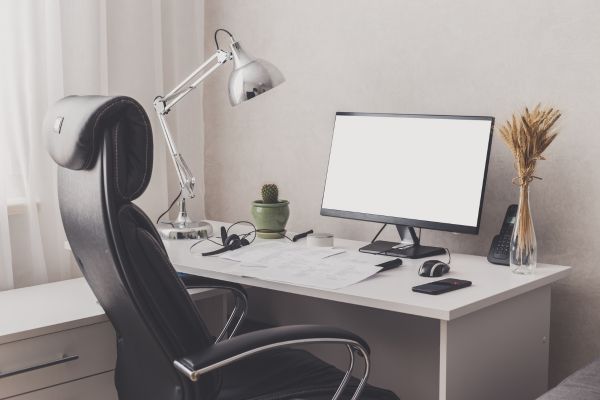
The Importance of Ergonomics in Remote Work
Ergonomics, the science of designing workplaces to fit the needs of the worker, has traditionally been associated with office environments. However, as remote work becomes the norm, the need for ergonomic principles to be applied in home office setups has surged.
Poor ergonomics can lead to a range of health issues, including musculoskeletal disorders (MSDs), back pain, neck strain, and eye fatigue. In the context of remote work, where individuals may not have access to ergonomic office furniture and equipment, these risks are heightened.
The growing popularity of remote work has made ergonomics a crucial factor in creating healthy home office setups. Poor ergonomics can lead to various health problems, highlighting the importance of ergonomic principles in remote work environments. To ensure a productive and comfortable workspace, it’s essential to prioritize ergonomics in your home office setup.
Key Elements of an Ergonomic Home Office Setup
Ergonomic Chair
An ergonomic chair is the cornerstone of a healthy home office setup. It should provide adequate lumbar support, adjustable seat height, and armrests that allow your arms to rest comfortably. A chair that supports the natural curve of your spine can prevent back pain and promote good posture.
Desk Height and Positioning
The height of your desk should allow you to work with your forearms parallel to the floor and your wrists in a neutral position. If your desk is too high or too low, it can lead to strain on your shoulders, neck, and wrists. Using a sit-stand desk can also be beneficial, as it allows you to alternate between sitting and standing, reducing the risk of prolonged sitting.
Monitor Placement
Your monitor should be placed at eye level, about an arm’s length away from your face. This helps prevent neck strain and eye fatigue. If you use multiple monitors, position them at the same height and distance to avoid constant head turning.
Keyboard and Mouse Positioning
Your keyboard and mouse should be positioned so that your wrists remain straight and your elbows are close to your body. Using a wrist rest or ergonomic keyboard can help maintain a neutral wrist position and reduce the risk of carpal tunnel syndrome.
Lighting and Screen Glare
Proper lighting is essential for reducing eye strain. Natural light is ideal, but if that’s not possible, use task lighting that minimizes glare on your screen. Position your monitor perpendicular to windows to avoid direct sunlight on your screen.
Footrest
If your feet don’t rest flat on the floor while sitting, use a footrest. This helps maintain a neutral posture and prevents strain on your lower back and legs
Ergonomics and Mental Health
While physical ergonomics focuses on optimizing your workspace to prevent physical discomfort, it’s also important to consider the impact of ergonomics on mental health. A well-organized and comfortable workspace can reduce stress and increase focus, contributing to better mental well-being. Incorporating elements such as plants, adequate lighting, and personalized decor can create a positive and motivating work environment.
The Role of Ergonomics in Preventing Musculoskeletal Disorders (MSDs)
Musculoskeletal disorders are among the most common health issues associated with poor ergonomics. These disorders can affect muscles, nerves, tendons, and joints, leading to pain and discomfort. In the context of remote work, the risk of developing MSDs is heightened due to prolonged sitting, improper workstation setup, and lack of movement. By implementing ergonomic principles, you can significantly reduce the risk of MSDs.
Posture and Alignment
Maintaining good posture is crucial for preventing MSDs. Your spine should be in a neutral position, with your head aligned with your shoulders and your back supported by your chair. Avoid slouching or leaning forward, as this can put unnecessary strain on your back and neck.
Movement and Breaks
Regular movement and breaks are essential for preventing MSDs. The 20-20-20 rule is a great way to reduce eye strain: every 20 minutes, look at something 20 feet away for at least 20 seconds. Additionally, take short breaks to stretch and walk around every hour to promote circulation and reduce muscle stiffness.
Ergonomic Accessories
Using ergonomic accessories such as a sit-stand desk converter, monitor arms, and ergonomic mouse pads can further enhance your home office setup and reduce the risk of MSDs.
